npm audit is fast, free, and built into every npm install — but it only labels findings by CVSS-based severity, which measures theoretical impact, not real-world exploitation. Layer in EPSS probability and CISA KEV confirmed-exploitation status, and your priority order changes completely: a CVSS 9.8 with EPSS 0.02 can wait, while a CVSS 6.5 with EPSS 0.85 and KEV membership cannot.
Your CI pipeline runs npm audit on every pull request. Last week it returned 63 findings — 11 critical, 24 high, the rest medium and low. Your team triaged by severity, like the tool tells you to, and spent two days patching the "critical" ones. None had a public exploit. Buried in the "moderate" tier, unpatched for three weeks, sat a prototype-pollution CVE in a transitive dependency of your templating engine — CVSS 5.6, but already on CISA's Known Exploited Vulnerabilities list with active scanning traffic hitting it in the wild.
This is npm's actual security problem. It isn't that npm lacks vulnerability data — npm audit draws on the GitHub Advisory Database, which has more reviewed advisory coverage than almost any other ecosystem. It's that npm audit labels findings by CVSS-based severity alone, which measures theoretical impact, not the odds anyone is exploiting the bug right now. With over 2 million packages and dependency trees that commonly run 800+ packages deep, severity-only triage doesn't just produce noise — it points your team at the wrong fires while the real one burns. (For the underlying mechanics — how dependency vulnerability scanning works across ecosystems, not just npm — see our overview.)
npm is the flagship ecosystem — the largest registry, the most traffic, the worst alert fatigue. For Python we ran a real pip-audit (what pip-audit misses); this guide does the same job for npm, starting with what npm audit cannot do: tell you which findings are actually exploited. GeekWala's npm scanner reads all three lockfile formats in use today — package-lock.json, yarn.lock, and pnpm-lock.yaml — and layers EPSS and CISA KEV on top of npm's own advisory data.
What We'll Cover
- Why npm audit's severity labels aren't enough
- The npm dependency landscape: scale creates blind spots
- What dependency files GeekWala scans for npm
- npm audit vs GeekWala: feature comparison
- npm-specific vulnerability patterns scanners miss
- Real-world npm vulnerability cascades
- Building an npm dependency security workflow
- Prioritizing npm vulnerabilities: a decision framework
- Best practices for npm supply chain security
- Frequently asked questions
Why npm audit's Severity Labels Aren't Enough
npm audit is genuinely useful — zero-setup, runs against your local lockfile plus the npm registry's advisory database, and it's the first thing any Node.js developer reaches for. The problem isn't the tool — it's what its output asks of you.
Every finding npm audit returns is labeled critical, high, moderate, or low. Those labels come straight from CVSS (Common Vulnerability Scoring System) severity, a 0–10 scale measuring how bad a vulnerability could be if exploited — remote code execution, authentication required, blast radius. What CVSS does not measure, at all, is whether anyone is actually exploiting it.
That gap matters at npm's scale. At most 6% of published CVEs are ever exploited in the wild — the rest are theoretical risk CVSS scores identically to the ones under active attack. "Patch every critical and high first" spends your patch budget on a coin flip instead of the small minority that's actually dangerous.
Two additional signals close that gap:
- EPSS (Exploit Prediction Scoring System) — a FIRST.org model estimating the probability a CVE gets exploited in the next 30 days, 0.0–1.0, updated daily from real-world exploitation telemetry.
- CISA KEV (Known Exploited Vulnerabilities) — a catalog of CVEs the U.S. government has confirmed are being actively exploited. KEV membership isn't a prediction; it's a fact, and twelve months of KEV additions shows how rare that confirmation is — exactly why a KEV hit should reorder your priority list.
Layer both onto an npm audit finding and the priority order routinely flips. A critical Prototype Pollution CVE with CVSS 9.8 but EPSS 0.01 and no KEV is real risk you should fix, but not risk justifying pulling engineers off a release. A moderate CVE at CVSS 5.6 with EPSS 0.79 and a KEV entry from three weeks ago is an active incident — npm audit can't distinguish these.
The npm Dependency Landscape: Scale Creates Blind Spots
npm is the world's largest software registry — over 2 million published packages, the default package manager for every Node.js project. That scale is npm's strength and its security liability at once: deep transitive trees, three incompatible lockfile formats, monorepo workspaces that share exposure across packages, and a publish velocity no advisory feed can review in real time.
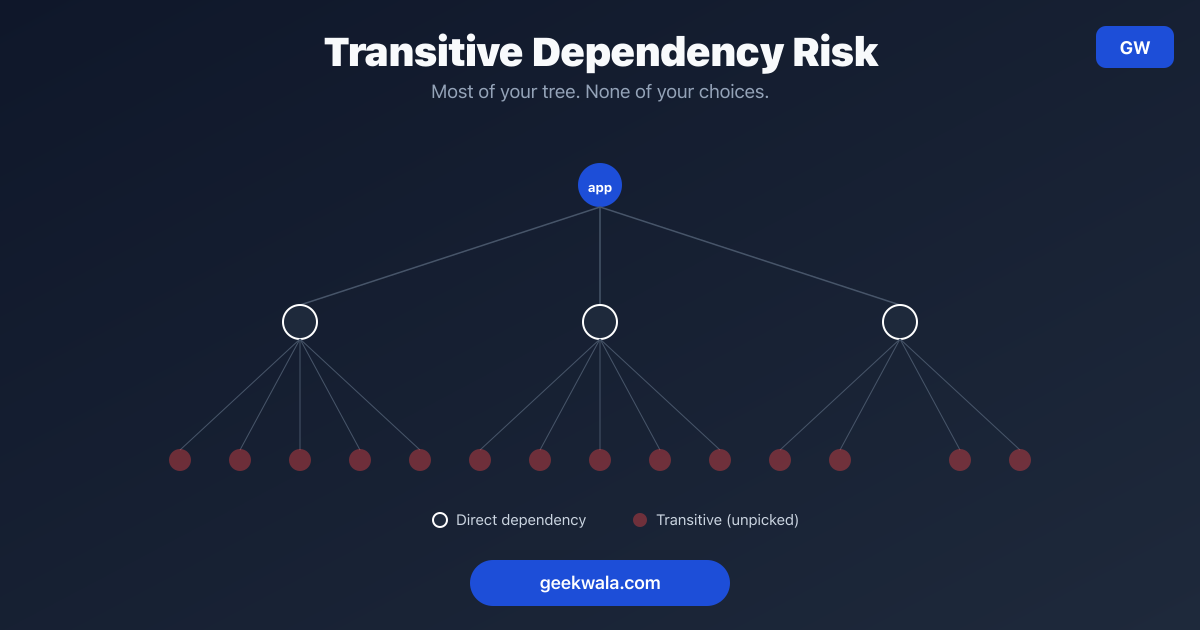
Transitive depth is the norm. A typical React or Express app with 30–40 direct dependencies commonly resolves to 800–1,500 packages total. A vulnerability three levels deep is still your problem in production, even though you never typed its name into package.json.
Three lockfile formats, one ecosystem. Unlike Go's single go.sum or Rust's single Cargo.lock, npm projects split across three incompatible formats depending on which package manager the team chose:
✓ package-lock.json    npm's native lockfile (npm 5+)
✓ yarn.lock             Yarn's lockfile (Yarn Classic / v1 format)
✓ pnpm-lock.yaml        pnpm's lockfile (content-addressable store)
Each encodes the resolved tree differently — a scanner that only understands package-lock.json silently misses every Yarn or pnpm project in your organization.
Monorepos and workspaces multiply the surface. npm/Yarn/pnpm workspaces let one repo host dozens of packages sharing a single top-level lockfile. A vulnerable transitive dependency pulled in by one workspace package can affect every other package in the monorepo, even ones that never reference it directly.
Publish velocity outpaces manual review. npm sees tens of thousands of new package versions published daily. No advisory database has zero lag between a vulnerability existing and being cataloged — that lag is where checking more than one feed catches what a single source misses.
What Dependency Files GeekWala Scans for npm
GeekWala parses all three npm lockfile formats directly — you don't need to pick one: package-lock.json as JSON, yarn.lock as Yarn Classic's custom syntax, and pnpm-lock.yaml as YAML. Always scan the lockfile, never package.json alone — it declares version ranges, not the exact versions actually installed. For a step-by-step paste-and-scan walkthrough, see how to check package-lock.json for vulnerabilities online.
✓ package-lock.json    npm's native lockfile, JSON format
✓ yarn.lock             Yarn Classic (v1) lockfile format
✓ pnpm-lock.yaml        pnpm's content-addressable lockfile
package-lock.json is parsed as JSON — package name and exact version for every direct and transitive dependency npm actually installed, not the version ranges declared in package.json.
yarn.lock is parsed as Yarn's custom lockfile syntax, targeting Yarn Classic (v1) — the format most production repositories still use; if you've migrated to Yarn Berry (v2+) with .pnp.cjs, verify your export format before uploading.
pnpm-lock.yaml is parsed as YAML, walking pnpm's packages: section to extract each resolved package and version.
Why the lockfile, not package.json: package.json declares version ranges (^4.17.21). Two developers running npm install at different times can resolve to different exact versions. The lockfile is the only artifact recording what's actually installed and exploitable — always commit and scan it, not the manifest.
Monorepo scanning: GeekWala's GitHub Action auto-detects a dependency file at the repo root, which in a monorepo is usually not the one you want. Point it at the lockfile you actually care about — set file-path to the nested path (e.g. packages/api/package-lock.json) and add one step per workspace package. If a transitive dependency spans workspace packages, cross-reference npm ls <package> / pnpm why <package> first to see which ones actually pull it in.
npm audit vs GeekWala: When Each Tool Makes Sense
| Capability | npm audit | GeekWala |
|---|---|---|
| Advisory sources | npm registry advisory database | OSV (GitHub Security Advisories + ecosystem databases) + EPSS + CISA KEV |
| Lockfile formats | package-lock.json (native) | package-lock.json, yarn.lock, pnpm-lock.yaml |
| Offline scanning | ✗ (queries npm registry) | ✗ (queries external APIs) |
| Exploitation signals | ✗ (severity label only) | EPSS + CISA KEV |
| Auto-fix suggestions | ✓ (npm audit fix) | ✗ (surfaces the upgrade path, doesn't auto-apply) |
| Workspace/monorepo support | ✓ (per-workspace) | ⚠️ (scan each package's lockfile separately — no auto-aggregation) |
| Historical trend tracking | ✗ | ✓ (per-project vulnerability history and trend charts; EPSS shown is today's) |
| CI/CD integration | ✓ native (npm audit --audit-level) | ✓ via API/webhooks |
| Cost | Free, built into npm CLI | See pricing |
Use npm audit for every install and CI run, policy gates on the worst-known findings, and local feedback before opening a PR. Use GeekWala for prioritizing which of your 63 findings are the 3–4 that matter this week, cross-checking advisory coverage across sources, and scheduled re-scans (Pro) that re-rank findings as EPSS scores move.
Neither tool replaces the other. npm audit is your fast, free first pass; GeekWala is the enrichment layer that tells you what to do with what it finds. For a feature/pricing breakdown, see GeekWala vs npm audit; for the CVSS-vs-EPSS case, see npm audit's CVSS scores vs EPSS triage; or compare broadly with 5 ecosystem-native scanners compared.
npm-Specific Vulnerability Patterns: What Scanners Miss
npm's scale produces vulnerability categories generic scanners handle inconsistently: prototype pollution that corrupts behavior application-wide through a single poorly validated merge, ReDoS bugs hiding in common regex-based validators, typosquatting and dependency-confusion attacks that move from publish to takedown within hours, and install-time preinstall/postinstall scripts that execute before any application code runs.
Prototype pollution. A poorly validated merge, clone, or Object.assign-style operation can let attacker-controlled input modify Object.prototype itself — corrupting behavior application-wide, not just the object being merged. Popular utility libraries (deep-merge helpers, config parsers) have repeatedly shipped this bug class. CVSS scores vary widely by what the polluted property controls downstream, so severity alone is an unreliable filter.
ReDoS (Regular Expression Denial of Service). A regex with catastrophic backtracking can turn a few kilobytes of crafted input into seconds of CPU time on a single request, blocking Node's entire event loop. ReDoS bugs hide in common places — email validators, URL parsers, Markdown renderers — and are rarely rated critical by CVSS since they "only" cause denial of service, but EPSS often ranks them higher once PoC exploit code circulates.
Supply chain compromise and dependency confusion. npm's open publish model makes it a repeated target for typosquatting and dependency confusion attacks — a malicious package named close to a legitimate one, published to trick a build into installing the attacker's version. These incidents move fast, publish-to-takedown sometimes within hours — exactly where CVSS lags behind KEV and EPSS.
Install-time script execution. npm packages can run arbitrary code via preinstall/postinstall lifecycle scripts the moment npm install resolves them — before any application code runs. A compromised package doesn't need you to use it, only to install it. npm audit's advisory matching doesn't address this, because it's a behavior, not a CVE.
Real-World npm Vulnerability Cascades
A vulnerable package rarely sits in your package.json — it's usually pulled in transitively by something you did choose, several layers down. The chain below shows the shape of that problem: your app depends on a package, which depends on another, which depends on the actually-vulnerable one.
What you actually installed
Declared in your manifest
Pulled in by express — never declared by you
Pulled in by body-parser
Lockfile-based scanning catches this — manifest-only scanning that checks only your direct dependencies would miss it entirely.
Example 1: the transitive logging library.
your-app/
├── package.json
│   ├── express ^4.18.0          ← you specified this
│   │   └── (no direct issue)
│   └── some-api-client ^2.1.0   ← you specified this
│       └── request-logger ^1.4.0  ← comes transitively
│           └── 🔴 prototype pollution CVE (moderate CVSS)
npm audit flags this correctly, but "moderate" gets queued behind four "critical" findings elsewhere. Two weeks later the same CVE lands on CISA KEV after mass scanning targets the affected function. The fix was always one npm update; only EPSS/KEV would have flagged it urgent in advance.
Example 2: a popular UI component pulls in a vulnerable regex. some-form-library and date-picker-widget — two unrelated direct dependencies — both transitively pull in email-validator, which has a ReDoS bug in its validation regex, possibly at different resolved versions in your tree. One npm audit fix pass may only patch one path — verify both with npm ls email-validator.
Example 3: workspace-wide exposure in a monorepo. A pnpm workspace shares one pnpm-lock.yaml across packages/api-service, packages/admin-dashboard, and packages/worker — all three depend on internal-http-client, which has an SSRF-adjacent CVE. A per-package npm audit inside packages/worker/ alone won't show that the other two share the exposure. GeekWala scans one lockfile at a time rather than auto-aggregating, so run pnpm why <package> first to find every affected package before assuming you've patched everywhere it matters.
Building an npm Dependency Security Workflow
A production npm security workflow has five steps: commit your lockfile and install deterministically with npm ci, run npm audit on every PR as a fast first pass, scan with GeekWala for EPSS and KEV enrichment, triage using all three signals together, and automate scheduled re-scans so a rising EPSS score doesn't wait for the next PR to surface.
Step 1: Commit your lockfile and run npm ci, not npm install, in CI
npm ci               # installs exactly what's in package-lock.json
npm ci --dry-run     # verify lockfile is in sync with package.json
npm install can silently update your lockfile if version ranges allow it. npm ci refuses to deviate from what's committed — that determinism is what makes scanning meaningful; you can't scan a moving target.
Step 2: Run npm audit on every PR and every merge
npm audit --audit-level=high     # fail CI on critical/high
npm audit --json > audit-report.json
Fast, free, zero setup. Catch the obvious stuff before it merges.
Step 3: Scan with GeekWala for EPSS/KEV enrichment
Upload your lockfile to GeekWala's npm scanner. Every finding gets three numbers instead of one: CVSS severity, EPSS exploitation probability, and KEV status.
Step 4: Triage using all three signals together
KEV → active incident, regardless of CVSS
Rising EPSS → escalate even at a moderate score
Install-time script (preinstall/postinstall) → extra scrutiny, it ran before you decided anything

CVSS 9.8, EPSS 0.02, no KEV        → standard cycle
CVSS 5.3, EPSS 0.81, KEV: yes      → patch today
Typosquat alert, no CVE yet        → urgent anyway
Step 5: Automate scheduled re-scans
0 3 * * * npm audit --json | your-alerting-script.sh # nightly cron
Or schedule GeekWala re-scans (Pro) and use its scan.completed webhook, which lists new and resolved findings after every scan.
EPSS scores move daily. A finding low-priority last month can spike this week — a scheduled GeekWala re-scan ranks findings by the current EPSS, so the shift shows up in the next run instead of waiting for an incident.
Prioritizing npm Vulnerabilities: A Decision Framework
You ran a scan. You have 40 findings. Where do you actually start? Check CISA KEV membership first — that's an active incident regardless of CVSS. Then check whether EPSS is high or rising, whether an install-time script came from an unfamiliar package, and finally whether the vulnerable code path is reachable from production.
- On CISA KEV? Yes: patch now (within 24 hours). No: continue to step 2.
- High or rising EPSS (10% or more)? Yes: patch on the ladder from the 3-Signal triage guide — above 90% within 24 hours, 70–90% within 1 week, 30–70% within 2 weeks, 10–30% within 30 days. No: continue to step 3.
- Install-time script from an unfamiliar package? Yes: investigate now. No: continue to step 4.
- Reachable from production code? Yes: patch this sprint. No: next quarter.
Worked examples:
- KEV + EPSS 0.85, moderate CVSS: deploy within hours — an active incident CVSS understated.
- CVSS 9.8, EPSS 0.01, no KEV, in a devDependency: queue for the next maintenance window.
- New typosquat alert close to a package you use internally: treat as urgent with no CVE assigned yet — advisory pipelines lag supply-chain incidents by design.
Best Practices for npm Supply Chain Security
Seven practices cover most of npm's supply-chain risk: commit one lockfile format per repo, use npm ci instead of npm install in CI, audit lifecycle scripts before adding a dependency, enable automated update PRs, scope and rotate publish tokens, monitor transitive depth on high-traffic services, and wire scanning into on-call, not just a backlog.
1. Always commit your lockfile, whichever one your team uses
Pick one lockfile format per repository and commit it. Mixing package-lock.json and yarn.lock produces inconsistent installs and unreliable scans.
2. Use npm ci in every CI pipeline, never npm install
# .github/workflows/ci.yml
- name: Install dependencies
  run: npm ci   # not npm install
The single highest-leverage change most teams haven't made — it turns "probably the same dependencies" into "exactly the dependencies in the lockfile."
3. Audit preinstall/postinstall scripts before adding a new dependency
npm view <package-name> scripts
If a package runs lifecycle scripts you don't recognize, read the source before installing. No scanner — GeekWala included — substitutes for this judgment call, because it's a behavior, not a known CVE.
4. Enable Dependabot or Renovate for continuous update PRs
# .github/dependabot.yml
version: 2
updates:
  - package-ecosystem: "npm"
    directory: "/"
    schedule:
      interval: "weekly"
Keeps you from running six-month-old dependency trees. See prioritizing Dependabot alerts with EPSS, or GeekWala as a Dependabot alternative.
5. Scope your npm tokens and audit registry access
Publish tokens with write access are a supply-chain target in their own right. Use automation-scoped tokens with minimum permissions, rotate them, and enable 2FA for publish access.
6. Monitor transitive depth on high-traffic services
npm ls --all | wc -l        # rough transitive package count
npm why <package-name>      # why is this in your tree at all?
For services handling untrusted input, review which transitive dependencies sit closest to it — a reachable ReDoS or prototype-pollution bug is a very different risk than one in a build-time-only tool.
7. Wire scanning into your CI/CD and your on-call rotation, not just your backlog
A finding stuck in a ticket queue provides no protection. Fail builds on KEV-listed findings, alert on-call for production-facing issues, and reserve the backlog for low-urgency items — see automated dependency scanning in CI/CD.
Frequently Asked Questions
Does GeekWala replace npm audit?
No. npm audit is free, built in, and should stay your first line of defense. GeekWala adds EPSS/KEV enrichment on top so you can separate the small minority ever exploited in the wild from the majority that aren't. Run both.
Why does GeekWala need my lockfile instead of just package.json?
package.json declares version ranges — ^4.17.21 could resolve to any 4.x.x patch depending on when npm install ran. Only the lockfile records what's actually installed; scanning ranges produces both false positives and false negatives.
My project uses Yarn Berry (v2+) — will GeekWala scan it?
GeekWala's yarn.lock parser targets the Yarn Classic (v1) format most production repositories still use. If you've migrated to Yarn Berry's plug'n'play mode (.pnp.cjs, no node_modules), check your lockfile's exported format before uploading.
What if a vulnerability is in a devDependency, not a production dependency?
It still matters, but differently. A vulnerable devDependency doesn't ship to production — but it can be exploited via a compromised CI environment or malicious build contribution. Prioritize production dependencies first, but don't ignore devDependencies indefinitely.
How is prototype pollution different from other npm vulnerabilities?
It exploits JavaScript's shared-prototype model: an attacker-controlled merge or clone can modify Object.prototype itself, changing behavior application-wide — including code that never touches the vulnerable package directly. It's largely JavaScript-specific, which is why it's disproportionate in npm's advisory data versus Go or Rust.
Can I rely on GitHub's Dependabot alerts instead of a dedicated scanner?
A solid first signal. Dependabot alerts show an EPSS score and can be sorted by it, but there's no CISA KEV filter or sort. See GeekWala as a Dependabot alternative.
How often should I scan npm dependencies?
Minimum: every PR via npm audit in CI. Recommended: daily automated GeekWala scans (scheduled scans are a Pro feature), since EPSS updates daily and priority can shift with no code change. Emergency: immediately, whenever a package in your tree is publicly disclosed as compromised.
Stop triaging npm findings by CVSS alone — start triaging by what's actually being exploited.
Scan your npm project with GeekWala → — upload package-lock.json, yarn.lock, or pnpm-lock.yaml and get EPSS scores plus CISA KEV status on every finding in under a minute. No account needed for up to 10 packages.
Related Reading
- Dependency Security Across Ecosystems: A Complete Guide
- npm audit's CVSS Scores vs EPSS Triage
- What pip-audit Misses: EPSS-Aware Prioritization
- What is EPSS? Exploit Prediction Scoring Explained
- CISA KEV: What "Known Exploited Vulnerabilities" Means for Your Project
- Dependency Confusion Attacks Explained
- 5 Ecosystem-Native Dependency Scanners Compared
- The 10% Problem: What 12 Months of KEV Data Says About CVE Exploitation