Grype is excellent for CI/CD pipelines and SBOM-based workflows — it now includes EPSS and KEV natively. GeekWala adds what Grype intentionally omits: a web dashboard, project history, and scheduled monitoring for teams that include non-CLI users. The best setup is often both tools working together.
Grype is a genuinely strong vulnerability scanner. Anchore maintains it actively, it integrates natively with Syft for SBOM-based workflows, and it ships with real EPSS and CISA KEV scoring built in. If you're a DevOps engineer comfortable living in the terminal, Grype deserves your attention.
So why are you reading a comparison article?
Because Grype is a CLI tool. It has no web dashboard. There's no way for your team lead to pull up vulnerability trends across projects at 9am on a Monday. Your PM can't check security posture without installing something. Your historical tracking lives in CI logs — not a queryable dashboard.
GeekWala isn't a Grype replacement for teams that live in CI pipelines. It's for the teams that need both: a fast CLI gate for builds and a web-based dashboard for the humans who need visibility without a terminal.
Already deciding which tool to adopt? See our full GeekWala vs Grype comparison for the complete feature matrix and pricing. This article instead breaks down what each tool actually does well and doesn't.
What Grype Does Well
Grype has earned its place as one of the go-to open-source vulnerability scanners. Here's what it actually does well — not a dismissal, a fair accounting:
SBOM-first workflow with Syft. Grype integrates natively with Syft, Anchore's SBOM generator. The workflow is clean: syft packages . > sbom.json && grype sbom:sbom.json. You generate a Software Bill of Materials first, then scan the SBOM for vulnerabilities. This separation matters for EU CRA compliance workflows where you need auditable artifact chains.
Native EPSS and KEV scoring. This is a genuine Grype strength that's worth acknowledging directly. As of recent releases, Grype enriches findings with EPSS exploitation probability and CISA KEV active exploitation flags. If you run grype --add-cpes-if-none image:your-app and check the JSON output, you'll see epss and cisa-kev fields populated on matching CVEs. This is real functionality, not a roadmap item.
Incremental vulnerability database updates. Grype maintains a local vulnerability database that updates incrementally. Subsequent scans after the first are fast because only the delta is fetched. This matters for bandwidth-constrained environments or airgapped setups where you mirror the database locally.
CI/CD integration speed. Grype is fast. It scans container images, filesystems, lock files, and SBOMs in seconds. Exit codes make CI gating simple: grype --fail-on high image:your-app exits non-zero if any HIGH or CRITICAL findings exist, blocking the pipeline.
Container image and OS-level scanning. Unlike GeekWala, Grype scans Docker images and detects OS-level package vulnerabilities (Debian, Alpine, Ubuntu packages) alongside application dependencies. If you're scanning containerized workloads, this matters.
Open source with a permissive license. Apache 2.0. No vendor lock-in. You can fork it, extend it, and run it anywhere — including airgapped environments where cloud-based scanners can't reach.
What Grype Doesn't Do
Grype's CLI-only design is a deliberate choice, not an oversight. But for teams beyond solo DevOps engineers, those gaps matter:
No web dashboard or UI
Grype output is JSON, table, or SARIF. If your security posture conversation happens between a developer and a spreadsheet, Grype works. If it happens in a team standup where someone asks "what's our highest-risk dependency across our three microservices right now?" — you're screen-sharing a terminal, which is not a great answer.
There's no Grype dashboard. You can pipe output to tools like Grafana or build your own visualization, but that's infrastructure you have to maintain. Anchore Enterprise provides a dashboard as a paid product — the open-source grype CLI does not.
No shared project view
Grype is per-machine, per-run. There's no concept of a "project" with a page your team can open. Your results live in your CI logs or wherever you redirect JSON output. If two developers need to compare findings on different branches, they're running separate grype invocations and comparing output manually.
No historical trending or scan history
Each Grype scan is stateless. There's no built-in way to ask "how many HIGH vulnerabilities did we have last month vs. today?" or "when did CVE-2024-1234 first appear in our dependencies?" That history exists only if you're archiving scan artifacts yourself.
No scheduled scanning or push notifications
Grype runs when you invoke it. Vulnerabilities are discovered between scans — a package you scanned clean last Tuesday might have a published CVE by Thursday. Without scheduled scanning or monitoring, you only know about new vulnerabilities when you manually re-scan or your CI catches it on the next commit.
Limited Packagist and RubyGems coverage
Grype's dependency scanning strength is primarily containers and the major app ecosystems (npm, Python, Maven, Go). Coverage for PHP/Packagist and RubyGems is present but lighter than Grype's container scanning capabilities. If PHP or Ruby are significant parts of your stack, verify coverage for your specific packages.
What GeekWala Adds
GeekWala doesn't replace Grype for CI/CD engineers. It serves the team layer on top of the scanner layer.
Web dashboard with project management. Create a project for each application, upload lock files or use the API, and get a web dashboard with vulnerability findings, EPSS scores, and KEV flags, plus an optional public project page you can link to for package, severity, and scan-history summaries. Nobody has to install anything to read it.
Scan history and trending. Every scan is stored. You can see how your vulnerability count changed over time, when specific CVEs entered your dependency tree, and which packages drive the most risk. Free accounts get 30 days of history; Pro gets 1 year.
Scheduled scans with monitoring. Pro accounts get daily and weekly scheduled scans. GeekWala re-scans your projects automatically — you don't need to trigger it on every commit. When a new CVE matches your dependencies, the scan email (and webhook, if you set one up) tells you without manually re-running the scanner, and each re-scan ranks findings by today's EPSS.
8-ecosystem support from one dashboard. npm, PyPI, Maven, NuGet, Go modules, crates.io, Packagist, and RubyGems — scanned from the same interface with the same EPSS + KEV enrichment. No switching between tools or reconciling different severity scales.
Anonymous scanning without account creation. Paste a lock file at geekwala.com/scanner and get results immediately. No installation, no account. For quick evaluations of a new library or one-off dependency checks, this matters.
Free tier for small teams. Up to 5 projects, 200 packages, and 50 scans per month at no cost. See the pricing page for current limits.
When to Choose Grype
Grype is the right tool when:
- You're a DevOps or security engineer comfortable with JSON output and building pipelines
- Your workflow is CI/CD-first — you want to gate builds based on vulnerability severity and don't need a web UI
- You're scanning containers and need OS-level package detection alongside application dependencies
- You use SBOM-based workflows — Syft + Grype is an excellent toolchain for generating and scanning SBOMs
- You need offline or airgapped scanning — Grype's local database works without continuous internet access
- You need Kubernetes or container registry scanning as part of a broader infrastructure security workflow
If your vulnerability management process is "run in CI, fix highs before merge, done" — Grype handles that with native EPSS and KEV context included.
When to Choose GeekWala
GeekWala is the right tool when:
- Your team includes non-CLI users — managers, product owners, or security champions who need visibility into security posture without a terminal
- You manage dependencies across multiple languages — one dashboard for npm + Python + Go + PHP, with consistent EPSS/KEV context across all of them
- You need project history and trending — tracking how vulnerability exposure changes over weeks and months
- You want scheduled monitoring — knowing about new CVEs between deploys, not just at commit time (Pro feature)
- You need shareable reports — a URL you can send to stakeholders, not a JSON blob or a screenshot of your terminal
- You're a developer who just wants to paste a requirements.txt and get results without installing anything
Can You Use Both?
Yes — this is often the best setup.
Run Grype in your CI pipeline for fast gating at build time. Grype's speed, exit code behavior, and EPSS/KEV output make it a natural CI gate. A grype --fail-on critical check before merge catches the worst findings before they ship.
Layer GeekWala on top for team-facing visibility. The web dashboard, scan history, and scheduled monitoring give stakeholders and team leads the visibility they need without requiring everyone to read JSON output. Import the same lock files into a GeekWala project for ongoing monitoring.
This isn't tool duplication — it's separation of concerns. Grype is your developer-time gate. GeekWala is your team-time visibility layer.
Feature Comparison
| Feature | Grype | GeekWala |
|---|---|---|
| EPSS exploitation scores | Yes (native, as of recent releases) | Yes — on every finding, ranked above severity |
| CISA KEV flags | Yes (native, as of recent releases) | Yes — flagged on every finding, ranked first |
| Web dashboard | No (CLI output only) | Yes |
| Anonymous web scanning | No (requires installation) | Yes (no account needed) |
| Container image scanning | Yes | No |
| OS-level package detection | Yes (Alpine, Debian, Ubuntu) | No |
| SBOM generation | Via Syft (companion tool) | Yes (CycloneDX, SPDX — from a manifest or lockfile, not from images) |
| SBOM scanning | Yes (scan Syft/CycloneDX SBOMs) | Yes (CycloneDX and SPDX JSON) |
| npm / PyPI / Maven / Go | Yes | Yes |
| Packagist (PHP/Composer) | Partial | Yes |
| RubyGems | Partial | Yes |
| NuGet (.NET) | Yes | Yes |
| crates.io (Rust) | Yes | Yes |
| Scheduled scans | Via external cron | Yes (Pro) |
| Scan history / trending | No (stateless per-run) | Yes (30 days free, 1 year Pro) |
| Shareable project page / team sharing | No | ⚠️ Optional public project page; shared team projects aren't available yet |
| Webhook notifications | No | Yes (Pro, flag-gated) |
| Offline mode | Yes (local DB) | No |
| CI/CD integration | Native (exit codes, GitHub Actions, GitLab CI) | API + exit codes |
| Advisory sources | NVD + GHSA + OSV + vendor DBs | OSV + EPSS + CISA KEV |
| Pricing | Free (open source) | Free tier + Pro ($12/mo) |
See pricing page for current pricing.
Frequently Asked Questions
Does Grype really include EPSS and KEV now?
Yes. Grype added EPSS and CISA KEV enrichment in recent releases (check the Anchore changelog for the specific version). The data appears in JSON output under epss and cisa-kev fields. Table output formatting of this data varies by version — check grype --version and review the output format for your installed version. This is a genuine Grype capability, not vaporware.
Is Grype better than GeekWala for CI/CD?
Grype is arguably the better fit for a pure CI/CD gate: it's faster, needs no external service, supports containers, and exits with meaningful codes. GeekWala's API works in CI but the primary value is the web dashboard and historical tracking — use it alongside your CI scanner, not as a replacement.
Does GeekWala scan container images?
No. GeekWala scans application dependency manifests — lock files and package definitions (package-lock.json, requirements.txt, go.sum, etc.). For container image scanning, use Grype, Trivy, or a similar container scanner. See GeekWala vs Trivy for a comparison focused on the container scanning use case.
What's the difference between Grype + Syft and GeekWala for SBOM compliance?
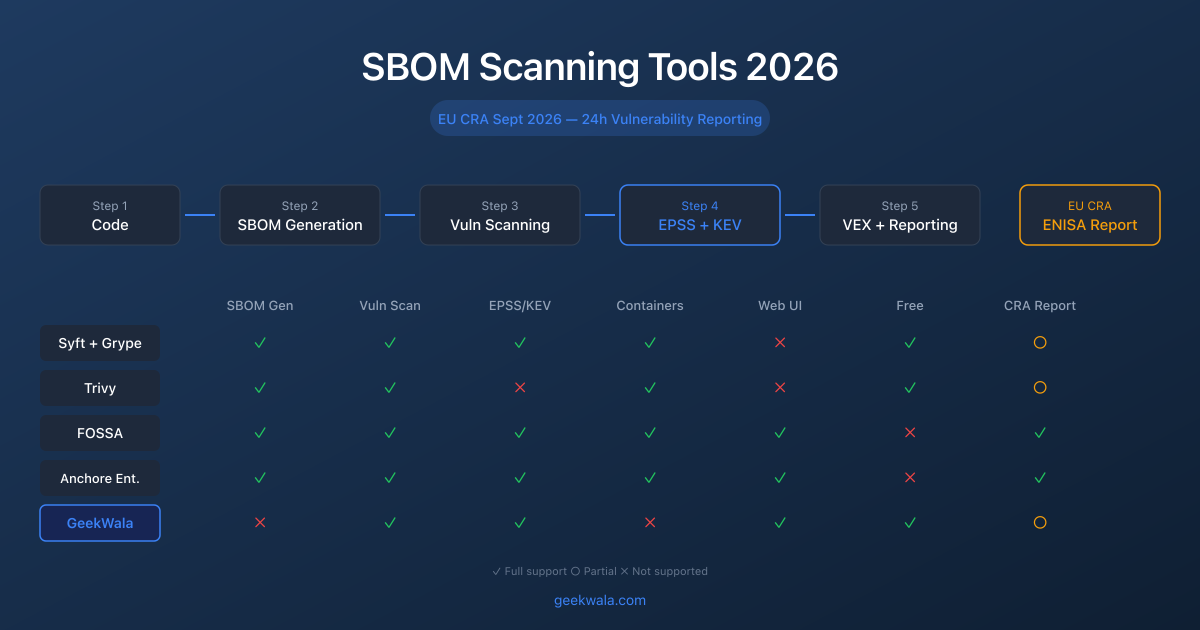
Syft generates SBOMs; Grype scans them. This is the right toolchain if your compliance requirement is "produce a CycloneDX or SPDX artifact" from container images or whole filesystems. GeekWala also exports CycloneDX and SPDX SBOMs (from a manifest or lockfile, not from images) and scans CycloneDX/SPDX JSON SBOMs, reporting vulnerabilities with exploitation context. For EU CRA workflows that require SBOM artifacts from images or build outputs, Syft + Grype handles the generation and scanning pipeline. GeekWala adds the team-visibility layer on top. See our SBOM scanning tools comparison for the full breakdown.
Can I use Grype with GeekWala together?
Yes. Run Grype in CI for fast gating and container/OS scanning. Use GeekWala's web dashboard for historical tracking, and scheduled monitoring of the same application dependencies. They complement each other rather than compete — Grype owns the pipeline, GeekWala owns the dashboard.
Which tool has better PHP/Composer support?
GeekWala has more complete Packagist coverage for application-level PHP dependencies. Grype's container scanning is strong, but its Packagist/Composer coverage for application dependency files is lighter than its npm or Maven support. If PHP is a significant part of your stack, see PHP and Packagist Dependency Security for a full breakdown of what each tool covers.
Grype tells you what's vulnerable with exploitation context. GeekWala gives you a dashboard to track and prioritize it.
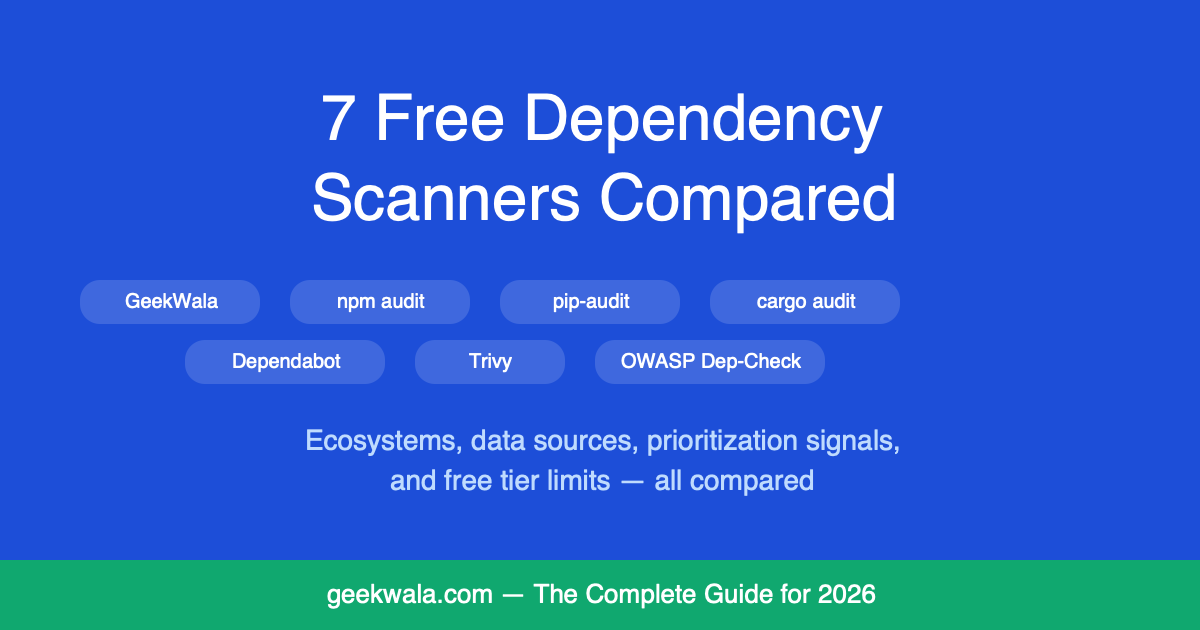
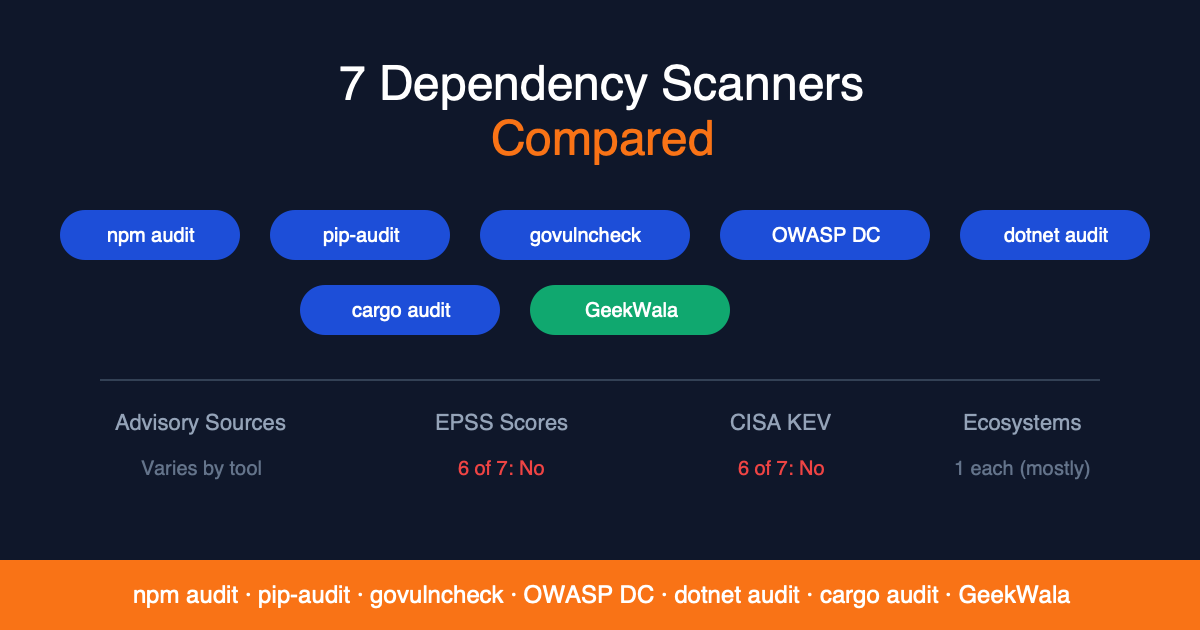
Scan your dependencies across 8 ecosystems → — upload any lock file, see EPSS and KEV scores for every finding, and monitor across projects. No installation needed. For a broader comparison, see 7 Dependency Scanners Compared and the free dependency scanning tools roundup. If you're weighing Grype against another open-source scanner directly, see Trivy vs Grype: Open-Source Scanner Comparison.